Billing and plans
Written By Kacper Staniul
Last updated 5 months ago
How subscriptions work
We offer flexible monthly and annual subscriptions that you can change or cancel anytime. There's no notice period, and you can easily manage your subscription from the app interface.
Subscriptions renew automatically and are active until you cancel them.
Invoices
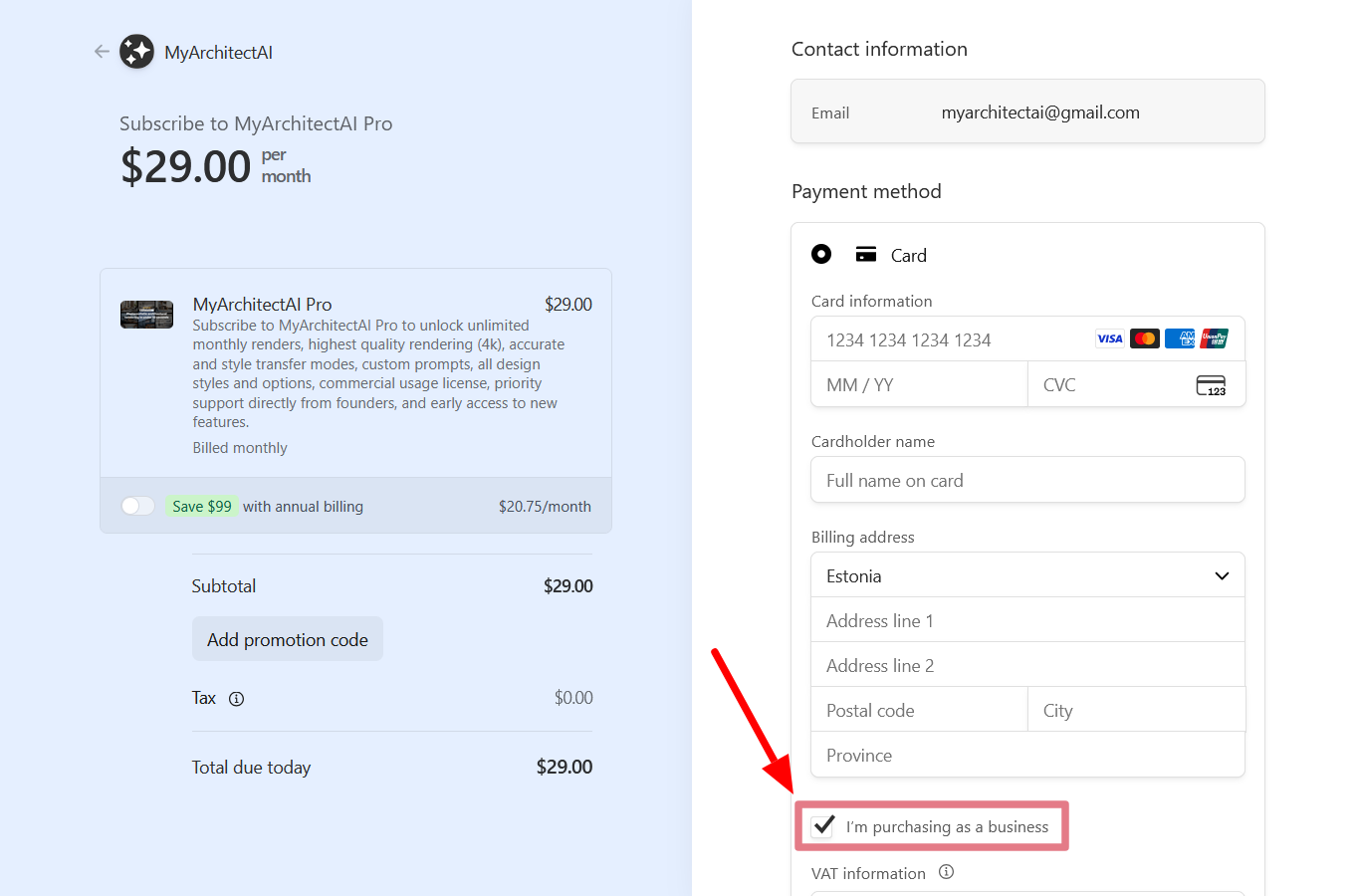
To get an invoice, tick the “I’m purchasing as a business” checkbox at the checkout page, and add your company details. The invoice will be generated after your order.
Managing your subscription
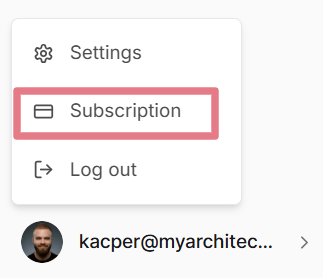
Click the “Subscription” link in the bottom left corner of the page (available for active subscribers):
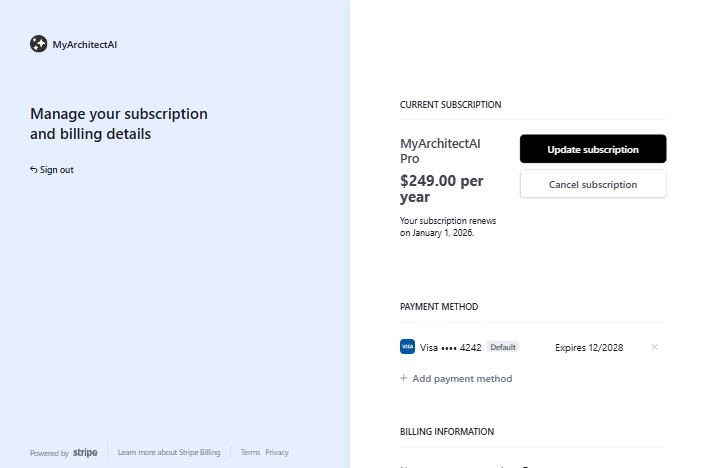
From there, you can:
Change your subscription plan
Pause your subscription
Cancel your subscription
Change or update payment methods
Change or update company details
Download receipts and invoices
Adding and removing users
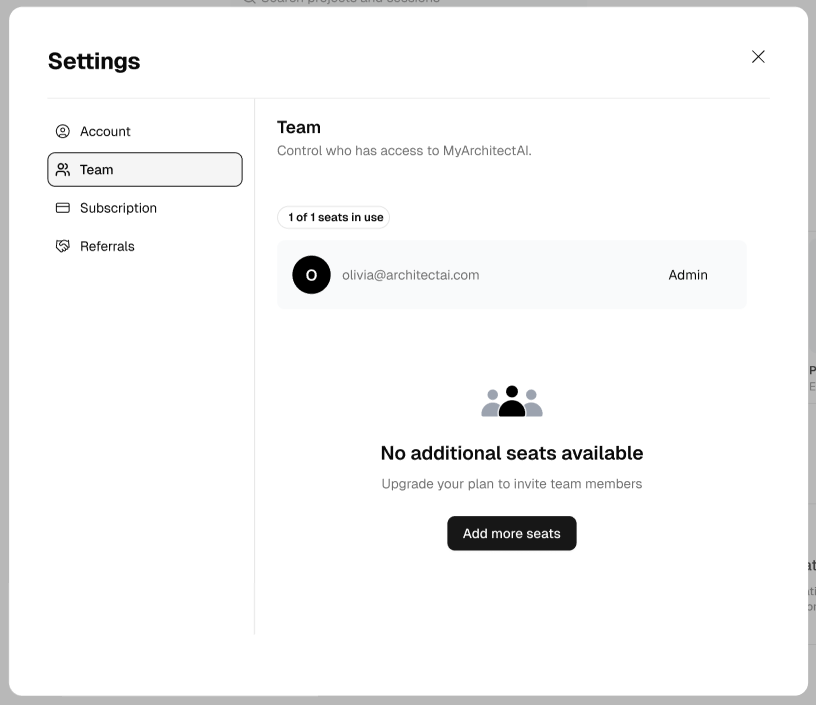
To add more users to your account:
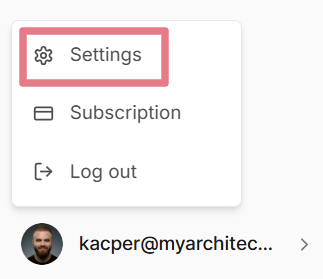
Click the ‘Settings’ link in the bottom left of the screen
Click the ‘Add more seats’ button:
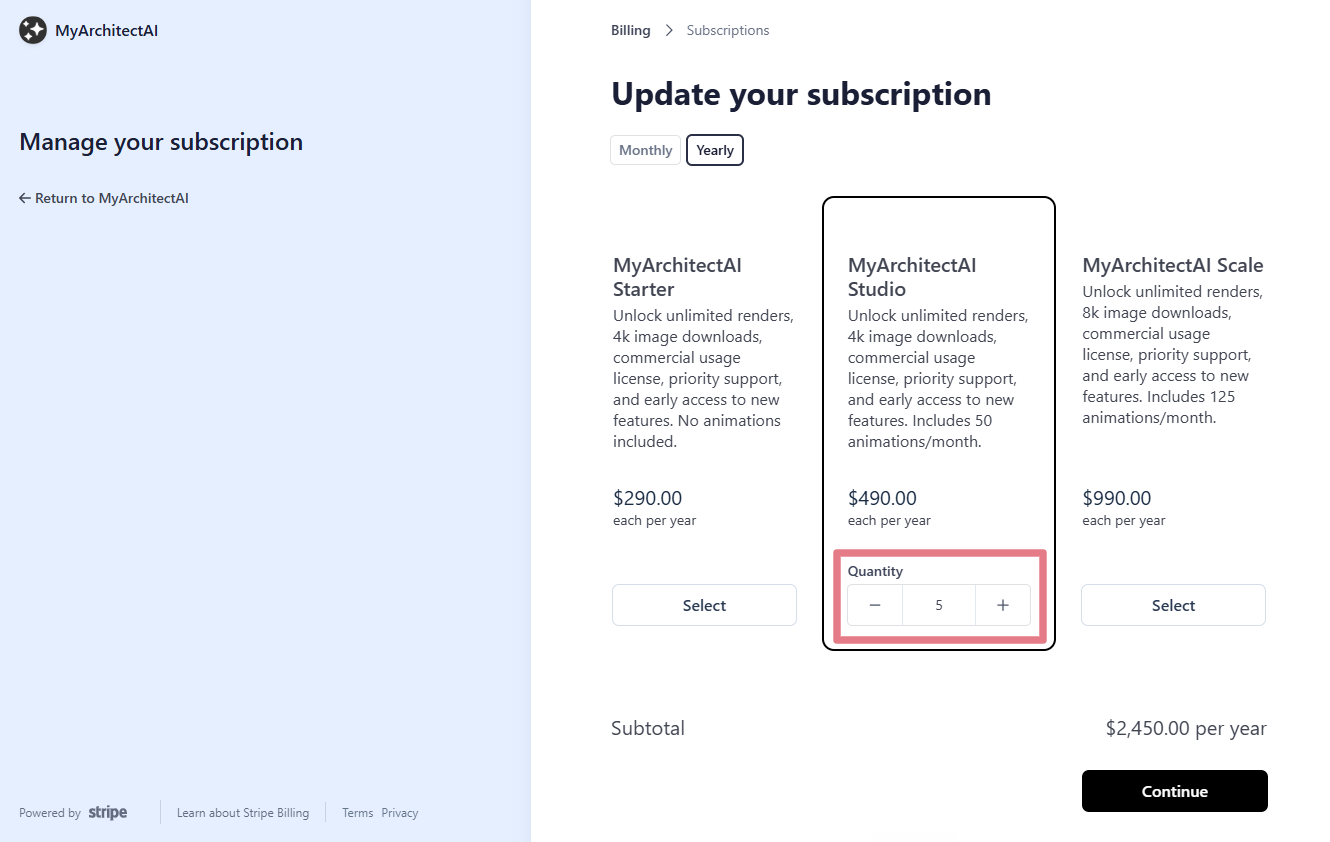
And choose how many seats your team needs:
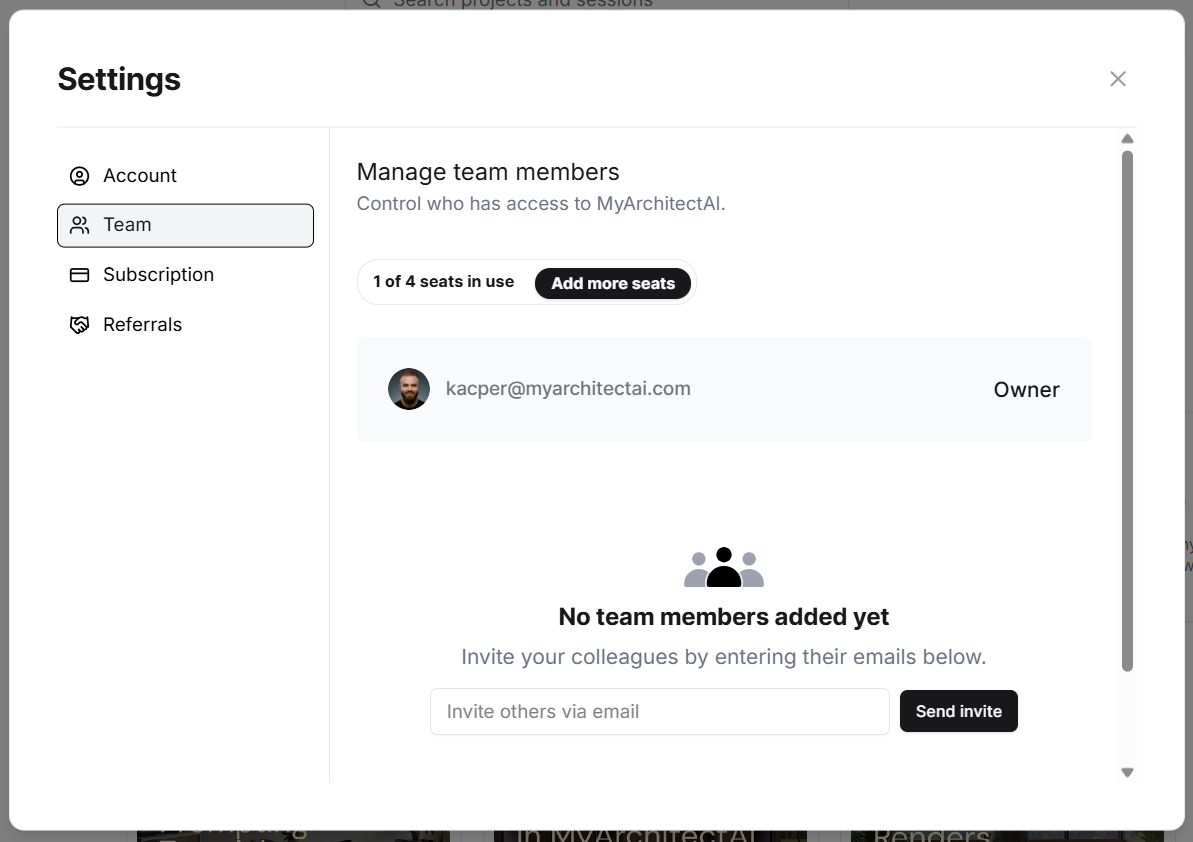
After updating your subscription, you’ll be able to send invites to your team members from the ‘Team’ tab:
Supported payment methods
You can pay using a credit/debit card or PayPal. In some countries, more local payment methods are available.
Bank transfers are available for teams of 5 and up with annual billing.
Plan limits
Free plan gives you a one-time 10 renders and 10 edits to try out the tool.
All paid plans include unlimited renders, edits, and enhancements every month. The number of animation credits varies by plan:
Starter: Animations not available
Pro (legacy plan): 20 animations/month
Studio: 50 animations/month
Scale: 125 animations/month
New, experimental tools (e.g. Edit by Prompt) that you get early access to sometimes come with usage limits during the early optimization phase.
Refunds
If, for some reason, our software doesn't meet your expectations, message us through the live chat or contact form, and we'll fully refund you. Please note that refunds apply only if you created fewer than 20 renders.
Was this helpful?
Still need help? Ask the team